
Turn clutter into order
“Sort the meeting files in Downloads by project. Show me the move list first.”
Inventory first, preview second—never turn a sentence straight into an irreversible action.
Voice-first · Lives on your desktop · You stay in control
Tell Pipipong what you need. It turns your request into a clear plan, asks before sensitive actions, and works with the AI tools you choose.

A widescreen computer-desktop concept using real Pipipong client state frames.
Four steps from request to result
Pipipong does not turn one sentence into a black box. It understands, plans, waits for your approval, and only then acts.

Click, use a shortcut, or speak. Pipipong stays quietly on your desktop until you need it.

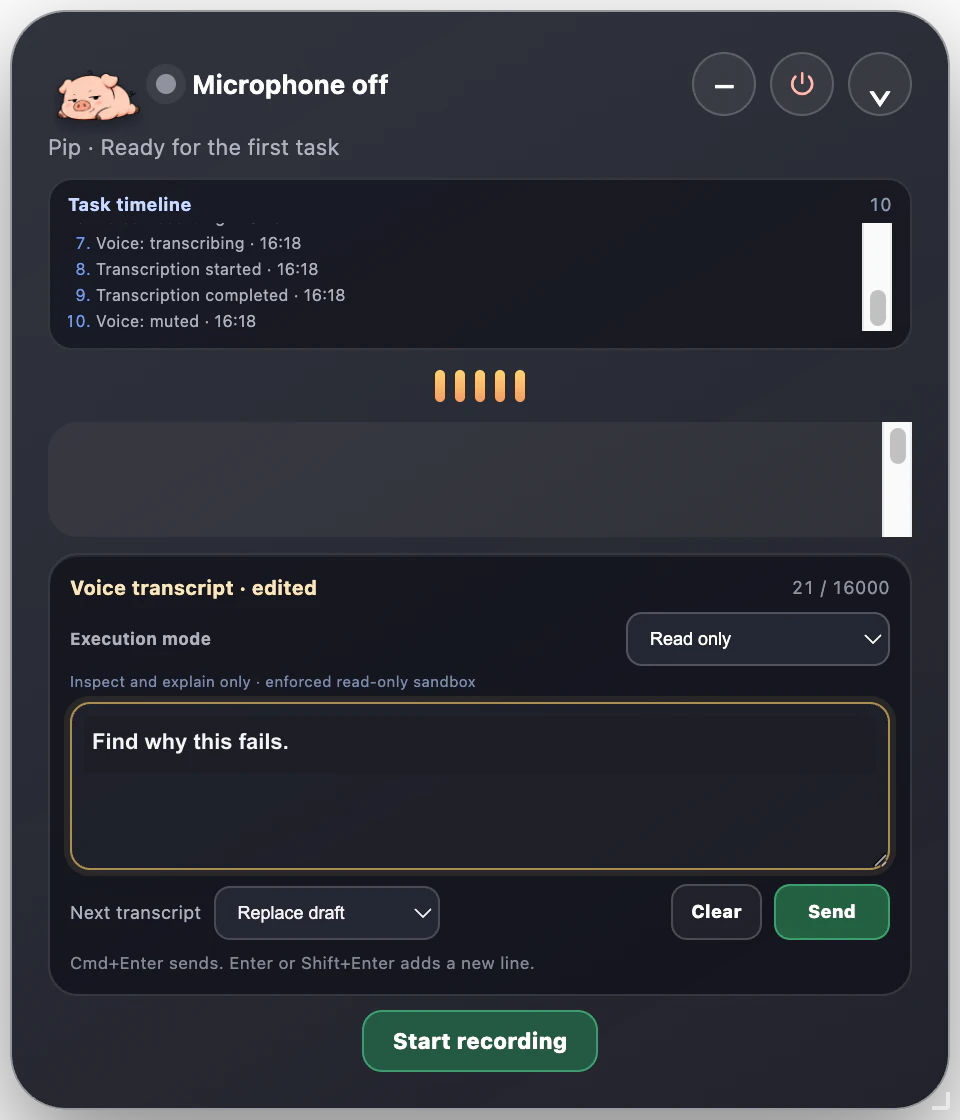
Use voice or text. You can edit the transcript before anything moves forward.

See what Pipipong understood, which files it may touch, and what needs permission.

Pipipong works inside the approved scope and leaves the result and changes for you to inspect.
More than chat
From messy files to broken code, Pipipong is designed to move a task toward a result you can inspect.
“Sort the meeting files in Downloads by project. Show me the move list first.”
Inventory first, preview second—never turn a sentence straight into an irreversible action.
“Create a report from these notes and highlight every change before I send it.”
Keep sources and edits visible so the final judgment remains yours.
“Find the project error, fix the code, run the tests, and report exactly what changed.”
Move from diagnosis to a verified result instead of stopping at an answer.
“Use the execution method I selected and the AI tools I already have to complete this.”
The long-term direction is model-agnostic; beta availability depends on the current build.
Beyond the chat window
Chat tools are good at answering. Pipipong aims to go one step further: understand the job, make the actions reviewable, and complete work inside clear boundaries.
Safety is part of the interaction
Pipipong is designed around preview, confirmation, least privilege, and recovery. The beta is where these boundaries are being tested in real workflows.

Fix a misheard request first.
See the goal, scope, and steps.
Analyze without writing.
High-risk actions stop for approval.
Inspect edits before and after.
Designed for recovery.
Know what happened and when.
Request only the access needed.
Stop on uncertainty instead of guessing.
You keep final control.
Make it yours
Create a Pipipong character from a photo, sketch, or reference image, then turn it into a consistent action pack for your desktop.
Custom packs in beta


The official starter pack is available in the Pet Library. Community submissions will be reviewed before they appear publicly.
THE PET LIBRARY
Download character packs, learn the action format, and submit your own design for community review. Every public pack keeps its creator and license visible.

Start with a complete, inspectable character pack.

Turn a reference into a consistent set of desktop actions.

Submit with authorship and license details for review.
Pipipong’s long-term direction is a model-agnostic desktop entry point that can choose the right execution method for each task.
SCENARIO REEL · CONCEPT FILM
This is not a lesson in where to click. It is a look at the moments Pipipong is meant for: turning a project folder into a weekly brief, researching a weekend within budget, or combining local context with public sources into a report.
Meeting notes, updates and risks are already scattered across your desktop.
A reviewable draft could pull the week into one calm, useful view.
Illustrative interface and example data. This reel shows product direction, not completed real-world tasks.
FAQ
If a feature, date, or data-handling detail is not confirmed, we say so.
Read the privacy draftPipipong is an AI work pet that lives on your desktop. It can understand a task, use available AI and computer tools, and pause for your review before sensitive actions.
The goal is not only to answer. Pipipong turns a request into a reviewable plan, completes work inside the scope you approve, and returns the process and result to you.
Only within the permissions and tools you grant. What it can do depends on the build, operating-system permissions, and execution method you select.
The product is designed around previews, read-only analysis, and confirmation for sensitive actions. You should still review the plan and keep backups of important files during beta.
No. Codex is one current collaboration direction, not the only long-term option. Pipipong is being designed to work with more tools over time.
API and other AI connections are part of the direction, but the site does not claim every model or service is already supported. The release notes will list what is actually available.
Yes. v0.9.5 is a public, free technical preview for Apple silicon Macs running macOS 14 or later. Download the DMG directly—no name, email, or invitation is required. The app currently appears as Voice Router Pet. The DMG is Developer ID-signed, Apple-notarized, and accepted by standard Gatekeeper checks. Open the DMG, drag Voice Router Pet to Applications, eject the DMG, then launch it normally from Applications. It remains a technical preview, not a production-stable release.
Windows is in development and has no announced release or public-test date. The current direct download is for Apple silicon Macs only.
The current stage is a free beta. Pricing and launch plans have not been announced.
Custom action packs are in development. The Pet Library already explains the pack format and offers an official starter pack; community submissions will be reviewed before publication.
That depends on the build, enabled AI service, and task. Pipipong does not promise fully local or fully offline processing before those paths are verified; see the privacy draft for the current boundaries.
FREE PIPIPONG BETA
Download the Developer ID-signed, Apple-notarized macOS DMG to join instantly—no application or invitation. For Apple silicon Macs running macOS 14 or later.